
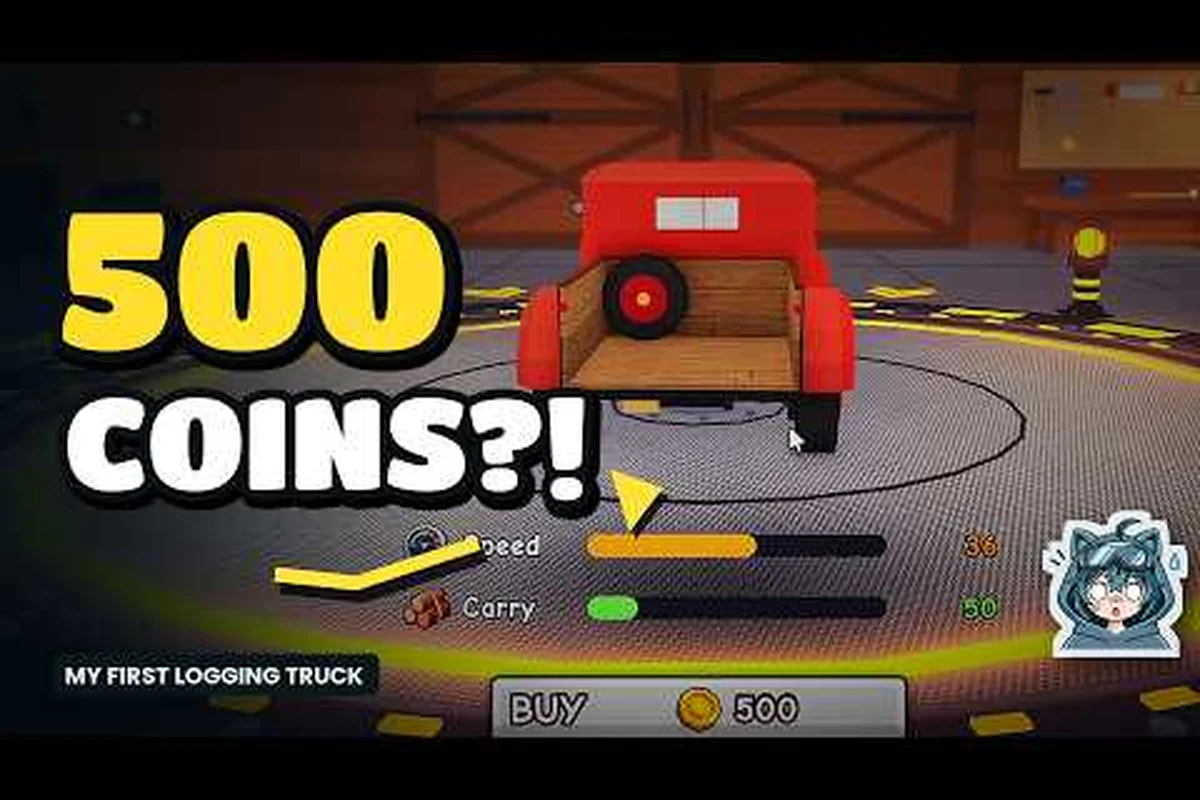
In Chop A Forest, vehicles are the single biggest leap you can make between slow starter runs and the kind of round-trips that fill your coin pouch while other players are still carrying logs by hand. This updated vehicle guide walks through every car and truck available in 2026, how to unlock them, what each one actually carries, and the smartest order to buy them so every Coin you spend pays itself back before the day ends.
According to the official Chop A Forest game page on Roblox, vehicles in the 2026 update are unlocked through progression tied directly to the amount of wood players have successfully harvested from each biome.
How Vehicles Fit Into Your Run
Vehicles in Chop A Forest are personal transport tools that turn a slow walk to the sawmill into a quick drive, and they are also your portable cargo bay once you unlock anything beyond the very first car. According to the official Chop A Forest page on Roblox, the core loop never changes: you chop, you pick up logs, you bring them back to the sawmill for Coins. What changes the moment you own a vehicle is how many logs you can carry per trip and how fast the round trip completes, which is why every experienced player treats their first car as a milestone rather than a luxury.
Vehicle Tiers and What They Replace
There are three broad tiers in the current game, and each one solves a different bottleneck in your loop. The starter tier replaces on-foot hauling, the mid tier adds serious trunk space, and the logging truck tier is built for endgame runs where you are clearing patches of trees in a single sweep.
| Tier | Example Vehicle | Main Benefit | Best For |
|---|---|---|---|
| Starter | Old Pickup | Adds trunk slots, decent speed | Players who just bought the Axe |
| Mid | Forest Hauler | Larger trunk, slight speed drop | Players earning 5k+ Coins per run |
| Endgame | Logging Truck | Maximum log capacity, slow but huge | Late-game tree clearing sessions |
Speed vs Capacity Tradeoff
Every vehicle in Chop A Forest sits on a curve between Movement Speed and Log Capacity, and the curve is steep. The fastest cars carry very few logs, while the largest logging trucks crawl across the map but can swallow a full tree's worth of wood. Picking the right one for your current grind matters more than picking the most expensive one, and that tradeoff is the single biggest decision in this whole guide.
Starter Vehicles: Your First Car and How to Get It
The first vehicle is the most important upgrade you will buy in Chop A Forest, because it is the moment your hauling loop stops being limited by your character and starts being limited by your tree count. Community data from the Chop A Forest Discord suggests most new players reach their first car somewhere in their second or third play session, once they have figured out the basic chop-pickup-sell cycle and saved enough Coins to afford the upgrade.
Unlocking the Old Pickup
You unlock your very first vehicle by opening the in-game shop, switching to the vehicles tab, and purchasing the cheapest car listed there. According to the Roblox listing for Chop A Forest, the game keeps your Coins, tools, and perks between sessions, so the car you buy on day one is still yours on day thirty, which makes the decision feel less risky than it does in games that wipe progress.
| Step | Action | Why It Matters |
|---|---|---|
| 1 | Reach the sawmill and sell a few rounds of logs | Builds your starting Coin pile |
| 2 | Press Tab and open the shop | Vehicles live in their own tab |
| 3 | Buy the cheapest car in the list | Unlocks driving and trunk access |
| 4 | Walk to the car spawn and press E to enter | Binds the car to your account |
Driving, Parking, and Storing Logs
Once you are inside a car, the controls are simple: WASD to move, the handbrake binds to a separate key, and pressing E near the trunk lets you dump logs in for storage. Players on the community Discord report that parking close to the tree line before you start chopping saves the most time, because you only need to make one short walk per run. A common beginner mistake is leaving the car parked in the open near the sawmill, which forces a long walk back to the trees every round and wipes out most of the speed benefit.
Mid-Tier Vehicles: Bigger Trunks, Bigger Trips
Once your first car starts feeling cramped, mid-tier vehicles are the next purchase on every experienced player's roadmap. These vehicles add roughly double the trunk space of a starter car in exchange for a small drop in top speed, and the trade almost always favors the bigger trunk because fewer trips beats faster trips once the trees you are cutting are far from the sawmill.
Forest Hauler and Friends
The Forest Hauler is the standout mid-tier option in 2026, and it is the vehicle most players buy second. Its trunk holds noticeably more logs than the starter car, and its handling is forgiving enough that new drivers can take corners near the sawmill without flipping it. If you want a deeper look at how trunk size affects Coins per hour, the log hauling guide breaks down the math in detail.
| Vehicle | Trunk Size (Logs) | Top Speed | Coin Price Tier |
|---|---|---|---|
| Old Pickup | 8 | Fast | Cheap |
| Forest Hauler | 18 | Medium | Mid |
| Dune Runner | 12 | Very Fast | Mid |
| Cargo SUV | 22 | Slow-Mid | Mid-High |
When to Skip the Mid Tier
Some experienced players skip the mid tier entirely and save straight for a logging truck, which is a valid choice if you do not mind running your starter car into the ground for a few sessions. The decision usually comes down to patience: if you enjoy incremental upgrades, the mid tier keeps every session feeling rewarding, but if you want the most logs per trip as fast as possible, hoarding Coins for a truck is a more efficient path and aligns with the progression guide approach to fast coin growth.
Endgame Logging Trucks: Maximum Haul, Minimum Trips
The logging truck is the endgame dream in Chop A Forest, and for good reason. These vehicles have trunks that can hold a full sweep of trees in a single run, which means you spend your time chopping instead of walking. According to community data shared on the Chop A Forest Discord, players who switch from a mid-tier car to a logging truck see their Coin-per-hour numbers roughly double on long grinding sessions, because the bottleneck shifts from travel to chopping.
The Logging Truck Tradeoff
The catch is speed. Logging trucks are slow, they struggle on hills, and they can be annoying to park near dense tree clusters. None of that matters once your run is dialed in, because you are making one trip instead of four. If you want a clean comparison of every endgame option, the vehicle list guide keeps the most up-to-date table for 2026.
| Truck | Capacity | Speed | Best Use Case |
|---|---|---|---|
| Logging Truck | 35 logs | Slow | Big tree sweeps, long sessions |
| Heavy Hauler | 40 logs | Very Slow | Endgame farming with friends |
| Flatbed XL | 30 logs | Slow-Mid | Mixed cargo and gear runs |
Buying Smart With Logging Trucks
The single biggest mistake players make with logging trucks is buying one before they have a steady chopping rhythm. A logging truck only pays for itself if you can fill it every run, and if you are still learning where the best tree clusters are, you will end up driving a half-empty truck back and forth, which is less efficient than a full mid-tier car. The beginner guide is worth a look if you are still building that rhythm, because it covers the tree locations that fill a trunk fastest.
Tips to Save Time With Every Vehicle
Owning a vehicle is only half the equation. How you use it decides whether you save five minutes per run or twenty, and small habits compound fast in a grinding game like this one. Players who treat their vehicle as part of their chopping routine, rather than as a separate toy they hop in once in a while, are the ones pulling ahead on the leaderboards.
Parking and Route Planning
Park as close to your chopping spot as possible without blocking trees, because every second you save walking from the car to the first tree is a second you can spend swinging. On the return trip, drive straight past the sawmill entrance to the closest drop-off point so the logs do not need to be carried by hand at the end. The community calls this the "loop park" method, and it is one of the easiest ways to shave minutes off every run.
| Habit | Time Saved Per Run | Difficulty |
|---|---|---|
| Loop parking | 30-60 seconds | Easy |
| Pre-sorted trunk space | 20-40 seconds | Easy |
| Avoiding sawmill traffic | 10-25 seconds | Medium |
| Friend convoy driving | 1-2 minutes | Hard |
Upgrades That Stack With Vehicles
Vehicles do not exist in a vacuum. Perks like Grasp Radius, Walk Speed, and Carry Capacity all stack with the trunk size of your car, which means a player with a starter car and maxed carry perks can out-haul a fresh player in a logging truck on the very first run. The gem system guide covers how to spend premium currency on these perks, and it is worth reading before you sink Coins into a vehicle you are not ready to use.
Frequently Asked Questions
What is the best Chop A Forest vehicle for beginners?
The Old Pickup is the best starter vehicle because it is cheap, fast, and adds enough trunk space to cut your sawmill trips in half without overwhelming new players with slow handling. Most beginners reach it within their first hour of play, and it stays useful as a quick errand car even after you buy a bigger truck.
How do I unlock vehicles in Chop A Forest?
You unlock vehicles by opening the in-game shop from the Tab menu and purchasing them with Coins earned from selling logs at the sawmill. According to the official Roblox page, your Coins, tools, and vehicles all persist between sessions, so every purchase is permanent and the cheapest car becomes available almost immediately once you start selling logs.
Is the logging truck worth saving for in Chop A Forest?
Yes, the logging truck is worth saving for, but only after you have learned where the best tree clusters are and can fill its large trunk on every run. Players who buy the truck too early end up driving it half-empty, which is slower per Coin than a mid-tier car filled to capacity, so it is best treated as an endgame goal rather than a mid-game shortcut.
Can I own more than one vehicle in Chop A Forest?
You can own multiple vehicles in Chop A Forest, and many experienced players keep a fast starter car for quick trips and a logging truck for long grinding sessions. Switching between them is done at the vehicle spawn point near the sawmill, and both stay bound to your account as long as you do not sell them back to the shop.
Do vehicles make you faster at chopping in Chop A Forest?
Vehicles do not directly increase your chopping speed, but they indirectly make every run faster by removing the walking and carrying bottleneck between trees and the sawmill. Combined with perks like Grasp Radius and Carry Capacity, a good vehicle is the single biggest boost to Coins per hour that the game offers, which is why this Chop A Forest vehicle guide 2026 recommends buying one as soon as your starter Coin pile allows.